


DER SPIEGEL - Nachrichten
4.2499.00 Reviews
App Specs
- Version
- 5.3
- Updated On
- License
- Free
- Downloads
- 5,000,000+
- Developer
- DER SPIEGEL GmbH & Co. KG
- Categories
- News & Magazines
- Platform
- Android
Screenshots


 Analysis by AppCompare
I tend to judge a news app by how quickly it helps me answer two questions: what matters today, and which stories deserve more than a headline’s worth of attention? DER SPIEGEL - Nachrichten is aimed at readers who want politics, business, and international news in one place, with room for longer reporting as well as quick checks. It comes from DER SPIEGEL GmbH & Co. KG, and its focus feels most useful when I want a substantial account rather than a stream of short updates.
Quick checks versus considered reading
For a brief morning scan, a clearly arranged news app can save time: I can look over current stories, pick one that affects my day, and leave the rest for later. The value here is not simply having more headlines on screen. It is having a route from a developing story to fuller context, which can help when a political decision or business change is difficult to understand from a short alert alone.
I would use it differently depending on the moment. On a commute, I might check the main news and save a longer piece for a quieter break. At home, I could follow a topic beyond the first report and compare its background with the latest development. That split—fast orientation first, deeper reading when there is time—is a practical way to get more from a news app without turning every notification into a task.
How it fits among news options
Compared with a general news aggregator, a publication-led app gives me a more consistent editorial voice and a clearer sense of where a report comes from. The trade-off is that it is not designed to represent every outlet’s framing in one neutral-looking feed. If I am trying to see how several organizations cover the same breaking event, I would use more than one source; if I want a coherent reading experience and detailed journalism from SPIEGEL, this app is the more natural starting point.
It also suits a different habit from social feeds. Social platforms can surface reactions quickly, but a burst of posts is not the same as a reported explanation. I would rather open a dedicated news app when I want to read a complete account and then decide what I think. For casual readers who only need a handful of top stories, that depth may feel like more than they need; for readers who regularly follow German and world affairs, it can be a reason to keep the app close.
Getting Started with DER SPIEGEL
First things first, downloading the app is a breeze. Available on both Android and iOS, just a quick trip to your app store, and you’re set. Once installed, you’ll notice a clean and intuitive interface that makes navigating through news topics a cinch.
Interface and Design
The app sports a sleek design, emphasizing readability and ease of access—perfect for those quick news catch-ups during a coffee break. The color scheme is easy on the eyes, primarily using shades of white and gray, which really lets the content shine.
Worth Reading Before You Choose

Flipboard Shows What News Apps Must Do Beyond the Feed

Switching to Android Auto Means Rethinking Your Driving Routine

Google Calendar Makes a Crowded Week Easier to Manage

Ludo King Makes the Most of the Minutes Between Plans

Baby Panda World Brings Quick Play to Modern Phones, but Its Game Library Feels Busy

ESPN’s Live Game View Makes Following Close Games Easier
Navigation is straightforward, with a simple menu at the bottom that includes sections like Home, Trending, and My News. This setup means you’re never more than a tap away from the latest headlines or your personalized news feed.
Content Richness
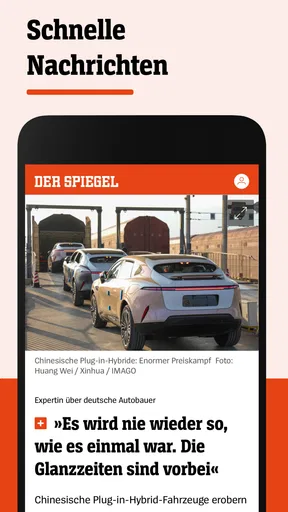
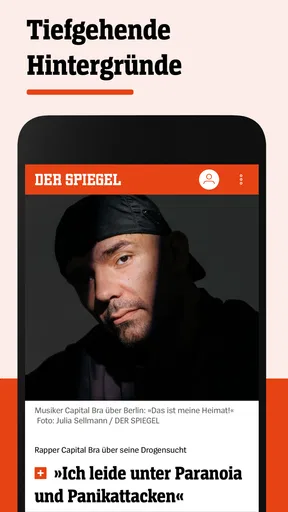
What truly sets the DER SPIEGEL - Nachrichten app apart is its content. The app provides a comprehensive range of articles covering everything from politics and business to science and culture. And let’s not forget the in-depth investigative reports that DER SPIEGEL is renowned for. Whether you’re interested in local stories or international affairs, this app has you covered.
Each article is well-written and informative, often including multimedia elements like photos and videos to enhance your reading experience. The app also offers a selection of opinion pieces, giving you diverse perspectives on current events.
Making a feed useful rather than noisy
Personalization works best when I treat it as a filter, not a complete picture of the world. Choosing topics I genuinely follow can make the daily feed more relevant, but I would keep some attention on the main news as well. Otherwise, a tailored stream can quietly hide an important development simply because it falls outside my usual interests. A useful routine is to check the broader headlines first, then use the personalized section to return to subjects I want to follow over time.
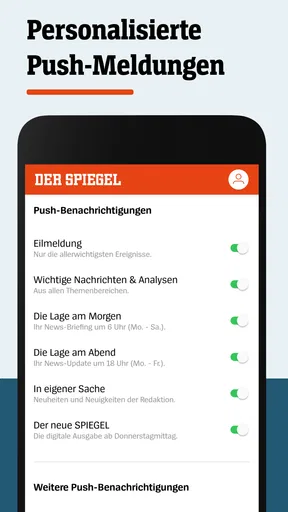
There is also a practical distinction between alerts and reading. I would reserve notifications for developments I truly want to know about promptly, and let the app’s article feed handle everything else. That reduces interruptions without giving up the option of catching up later. If I am traveling or have a busy day ahead, saving a longer story before leaving is a better plan than relying on an alert to remind me to read it.
Personalization Features
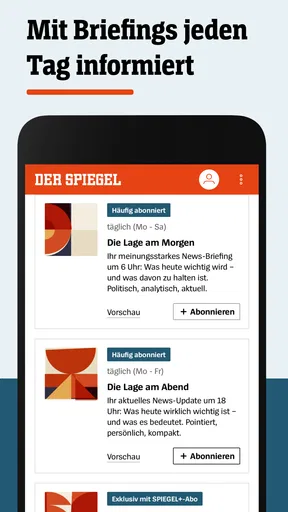
One of the standout features is the personalization aspect. You can tailor your news feed by selecting your preferred topics. This means you get more of the news you care about and less of what you don’t. It’s like having your own personal news curator!
Notifications can also be customized, ensuring you’re alerted only to the breaking news or topics that really matter to you. No more unnecessary pings to disturb your day.
A realistic day with the app
Imagine checking the news before work, noticing a major political story, and reading enough to understand why it matters without trying to absorb every detail on a small screen. Later, during a lunch break, you can return to a saved article and give it proper attention. In the evening, a quick look at the wider news can show whether the story has changed. This is where a focused publication app can work well: it supports several short visits instead of requiring one long session.
For a reader who follows a topic closely, I would avoid saving every interesting article. A short, deliberate reading queue is easier to finish and makes offline access more useful. Save pieces that need time, not every headline that catches your eye. That small habit helps turn the app into a reading tool rather than another pile of unfinished items.
Offline Reading
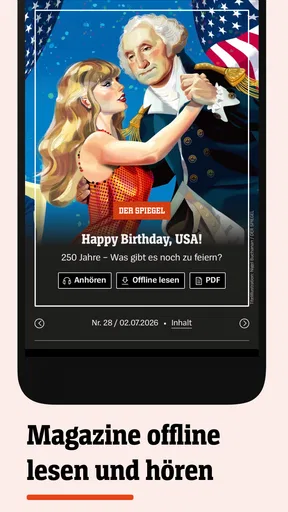
For those times when you’re off the grid, the app allows you to save articles for offline reading. It’s perfect for flights or when you’re in an area with spotty internet service. Just save your articles in advance and enjoy uninterrupted reading.
Speed and reliability in everyday use
A news app earns trust through ordinary moments: opening it when a headline breaks, moving between sections, and returning to an article without losing track of what I was reading. The experience here is described as smooth and responsive, with articles loading quickly and little lag during navigation, including on image-heavy stories. That makes it a reasonable choice for regular checks, though I would not treat any app as a substitute for a stable connection when live news is changing quickly.
When an article seems slow to appear, I would first check whether the connection is the issue rather than repeatedly tapping and creating confusion. If I know I will be offline, saving a story beforehand is the more reliable workflow. For a technical problem, the in-app help section gives users a place to look for assistance. Those are useful recovery steps, but the best expectation is still that occasional connectivity or device issues can interrupt reading.
Device limits and sensible expectations
The app is available for Android and iOS, and the Android release supports devices running version 6.0 or later. That makes compatibility worth checking before installing on an older phone. The reading experience is also said to work on smartphones and tablets, but I would judge comfort by the screen I use most: a phone is convenient for headlines and short sessions, while longer reports are easier to take in when I have more room and time.
News reading can use data, particularly when stories include photos or video, so I would be selective about watching multimedia on a limited connection. Saving text for later can help with access, but it is still sensible to plan ahead rather than assume every story will be available in the exact circumstances I need. Readers who want a very lightweight, headline-only experience may prefer a simpler source; this app’s appeal is tied to having more substantial material to read.
Who will get the most from it
I would recommend it to readers who value detailed reporting, follow politics or world affairs, and are willing to spend more than a few seconds with an article. It can also suit someone who wants a daily routine: scan the main stories, choose a couple of relevant topics, and save one piece for later. The combination of current coverage and longer-form journalism gives that routine more substance than a bare list of headlines.
I would skip it if I only wanted a broad mix of short summaries from many publishers, or if I rarely read beyond notifications. In those cases, an aggregator or a quick general-news feed may be more convenient. It is also not the right fit for anyone who expects every article to be free: the app includes free content, while a subscription is needed for the full range of articles and features. I would explore how often I actually read its longer pieces before deciding whether paid access makes sense for me.
What to know about access and cost
The app is free to install, with in-app purchases ranging from $0.99 to $249.99 per item. That wide span makes it especially important to check the purchase details shown in the app before confirming anything, rather than assuming every paid option is the same kind of subscription or costs the same amount. The free entry point lets readers try the experience, but frequent readers who want the complete offering should consider the payment choice carefully.
Its audience rating is Everyone 10+, and it has an average rating of 4.2 from around 135,000 ratings, with over 5 million installs. Those figures suggest that many people use it, but they cannot tell me whether its editorial approach, paid access, or reading depth is right for a particular person. The more useful test is whether I return to its reporting often enough to justify making it part of my daily routine.
User Experience
Using the app feels smooth and responsive. Articles load quickly, and there’s minimal lag, even when navigating through image-heavy stories. The app seems well-optimized for both smartphones and tablets, providing a seamless experience across different devices.
Customer support is another plus. Any questions or technical issues can be addressed through the app’s help section, ensuring you’re never stuck for long.
Subscription Model
While the app offers a good amount of free content, a subscription unlocks the full range of features and articles. If you’re a news junkie or just someone who values high-quality journalism, the subscription fee is well worth it. Plus, supporting quality journalism is always a good investment.
My performance verdict
My overall impression is that this is best treated as a steady reading companion, not just an emergency alert channel. The clean presentation, quick article access, topic choices, and saved reading make it practical for repeated visits. Its strongest case is for people who want to move from a headline into reporting with context; its weaker case is for readers who prefer a minimal, free, all-publishers summary feed or who rarely have time for full articles.
DER SPIEGEL - Nachrichten was released on June 28, 2011, and its current version is 5.2.13. I would not choose a news app on version details alone; what matters more is whether it runs comfortably on my device and fits the way I read. If I have an eligible phone, a reliable connection when needed, and an interest in the publication’s coverage, the app has a clear role. If I need breadth across many editorial sources or only want very short updates, another kind of news app will probably suit me better.
In conclusion, if staying informed is your thing, the DER SPIEGEL - Nachrichten app is definitely worth checking out. With its rich content, user-friendly interface, and personalization options, it’s a fantastic tool for anyone looking to keep up with the latest news. Download it today and see for yourself how it can transform your daily news intake.
Pros
- Comprehensive news coverage worldwide.
- User-friendly interface with easy navigation.
- Regularly updated with breaking news.
- High-quality journalism and analysis.
- Available in multiple languages for accessibility.
Cons
- Some content requires a subscription.
- Push notifications can be excessive.
- App performance can lag on older devices.
- Limited customization of news feed.
- Video content may consume significant data.
FAQs for DER SPIEGEL - Nachrichten
What is DER SPIEGEL - Nachrichten app?
DER SPIEGEL - Nachrichten is a comprehensive news app that provides the latest updates, in-depth analyses, and investigative reports from one of Germany's leading news outlets. It covers a wide range of topics including politics, economy, culture, science, and technology, offering both German and international news.
Is DER SPIEGEL - Nachrichten available in English?
While DER SPIEGEL primarily publishes content in German, the app offers a selection of articles in English to cater to international audiences. However, for a more extensive experience, proficiency in German is recommended to access the full range of content available.
Does DER SPIEGEL - Nachrichten require a subscription?
The app offers a mix of free and premium content. While some articles and features can be accessed without a subscription, a premium subscription is required for full access to all content, including exclusive articles and in-depth reports. Subscription plans and prices can be found on their official website and within the app.
What features does the DER SPIEGEL - Nachrichten app offer?
The app provides features such as personalized news feeds, offline reading, and push notifications for breaking news. It also includes multimedia content like videos and podcasts. Users can customize their experience by selecting topics of interest and saving articles for later reading.
On which devices can I use DER SPIEGEL - Nachrichten?
DER SPIEGEL - Nachrichten is available for both Android and iOS devices. The app can be downloaded from the Google Play Store for Android users and the Apple App Store for iOS users. It is optimized for both smartphones and tablets, ensuring a seamless reading experience across devices.


